How to Upload Garments Correctly for Better AI Results: Photography Tips

Artificial intelligence is rapidly transforming how fashion brands create product images.
Today, clothing sellers can generate AI fashion models, simulate virtual try-ons, and even create full catalog photos without traditional photoshoots.
But there is one factor that many fashion brands overlook when working with AI.
The quality of the garment image uploaded to the AI system.
Many sellers assume that poor AI outputs are caused by weak technology. In reality, the issue is often the garment image itself.
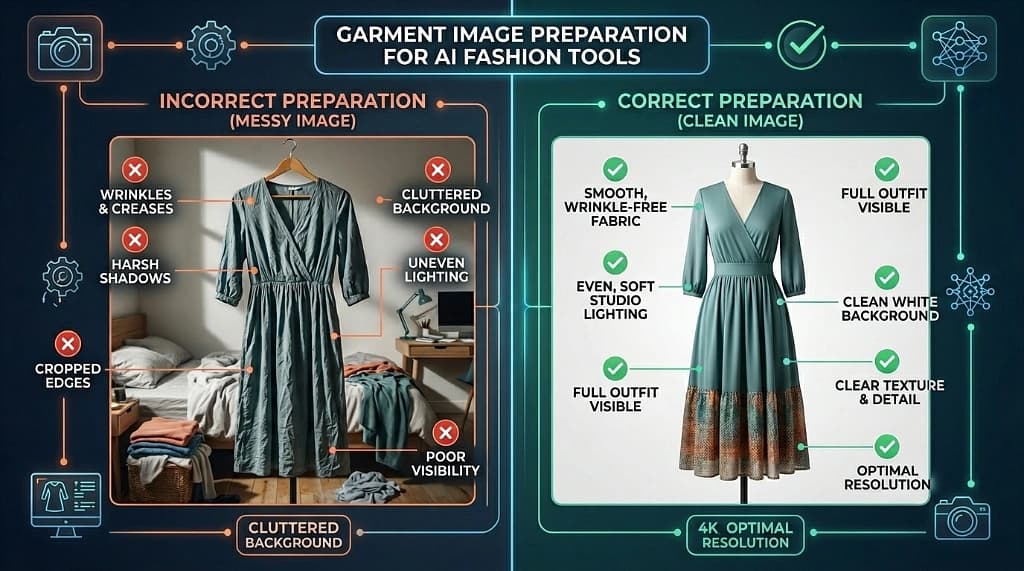
If the clothing image has shadows, wrinkles, uneven lighting, cropped edges, or cluttered backgrounds, the AI will struggle to understand the garment structure.
And when AI cannot understand the garment properly, the output becomes distorted.
Sleeves may appear crooked. Fabric textures may look unnatural. The garment may not align properly with a digital model.
For fashion brands using AI tools, garment preparation is one of the most important steps in the workflow.
When garments are uploaded correctly, AI systems produce significantly better results.
This guide explains exactly how clothing brands should prepare and upload garments to get the best results from AI fashion tools.
Why Garment Image Quality Matters for AI Tools
AI fashion tools rely heavily on computer vision technology.
These systems analyze garment images to detect important features such as fabric structure, garment outlines, design patterns, seams/folds, and color gradients.
The AI uses this information to reconstruct the garment digitally. If the image contains visual noise or distortions, the AI may misinterpret these features.
This leads to problems such as distorted shapes, incorrect edges, poor draping simulation, and inconsistent textures.
A report from McKinsey highlights how generative AI is expected to reshape the fashion industry across design, marketing, and ecommerce.
However, even the most advanced AI systems depend heavily on the quality of the input data. For fashion sellers, this means properly preparing garment images before uploading them.
How AI Fashion Systems Process Garment Images
Understanding how AI analyzes clothing images helps explain why garment preparation is so important. When a garment image is uploaded, the AI usually follows this simple workflow:
Garment Image Upload → Edge Detection → Fabric Analysis → Model Simulation → Final AI Output
First, the system detects boundaries. Second, it analyzes shape for fabric behavior. Third, it identifies elements like seams and embroidery. Finally, it applies the garment to a digital model.
Step-by-Step Guide: Uploading Garments Correctly for AI
Step 1: Use a Plain Background
Cluttered backgrounds distract the AI. White backgrounds create the best contrast for the AI to isolate the garment and detect edges accurately.
Step 2: Show the Entire Garment
Sleeves, collars, and hems should always be visible. Cropping edges makes it impossible for AI to analyze structure, especially for long outfits like sarees or gowns.
Step 3: Maintain Even Lighting
Harsh shadows distort textures. Even, soft lighting helps AI recognize fabric grains and embroidery patterns clearly.
Step 4: Use High-Resolution Images
Detail is key. High-res inputs (2000px–4000px) allow the AI to detect subtle features like stitching and fabric texture, leading to more realistic results.
Step 5: Remove Wrinkles and Distortions
AI may interpret wrinkles as part of the garment's structure. Steaming garments before photography ensures the AI understands the true design.
Common Garment Upload Mistakes to Avoid
- Using cluttered or textured backgrounds
- Uploading low-resolution images
- Cropping garment edges
- Capturing images with poor lighting
- Uploading wrinkled clothing
Real Example: AI Virtual Try-On Technology
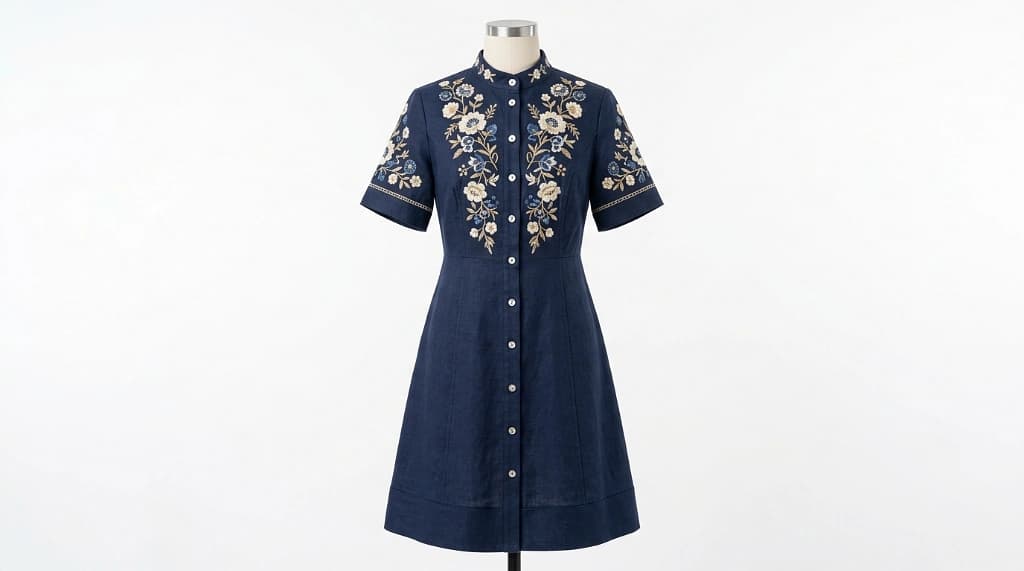
Google's AI-powered virtual try-on demonstrates the power of accurate data, allowing shoppers to see garments across a range of body types.
The Future of AI Fashion
As AI evolves, proper garment preparation will remain the foundation of reliable output. Brands that master this today will define high-quality digital retail.